Metasploit 5.0 — New Evasion Module
First of all we need metasploit 5.0 or up in our Kali Linux environment.Open metasploit by using msfconsole command:
This will open metasploit framework.

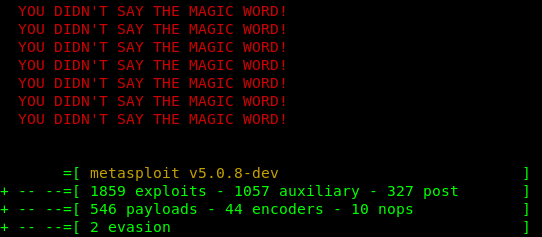
Check it’s version if it is v5.x.x then you can check it have some exploits, auxiliary, payloads with 2 evasion.
If you are running a lower version of metasploits then you need to upgrade it by using following command:
Have you done upgrading ?? Now start the postgresql database service by using following command:
Then open metasploit using msfconsole.
Now we use following command to see the evasion modules:
Screenshot of the command is below:

In this tutorial we are going to use the windows/windows_defender_exe by using following command:
The screenshot is following:

Now we check the information of this evasion by using following command:
Screenshot of the command is following:

Now we set the file name for the evasive exe file. We do this by using following command:
You can choose any file name. Screenshot is following:

Now we need to choose the type of payload, we use the meterpreter/reverse_tcp payload by using following command:
The following screenshot is the output of preceding command:

Now set the LHOST by using following command:
We need to type our IP address as the LHOST. We are doing this on our local system so we use our local IP address. Screenshot is following:

Then we set the LPORT and open that port of our router by using port forwarding. We set the port 4444 by using following command:

Now all set, we generate the exe file by using run command :
The screenshot is following:

As we can see that our exe file has been generated in the /root/.msf4/local directory.
Now quit from metasploit by using exit command.
Then open it again by using msfconsole.
Then create listener by using following command:
Then set the type of payload by using following command:
Set LHOST and LPORT again by using following command:
t
The screenshot is following:

Then just type exploit command to start the listener
The screenshot is following:

Now we need to install this exe file in any target windows system and then we got the metrepreter session. That’s all


1 comment