The FatRat — The Real Fat

The FatRat is an easy and popular tool that can be used to perform post exploitation attacks like browser attack , dll etc. TheFatRat also can compile malware with very popular payloads and then the compiled malware which can be execute on windows, android or mac systems.
To use this tool we need to clone it from github. We are going to open our Terminal window in our Kali Linux system and type following command :
The FatRat is little bit heavy in size, so the download process may take some time , it depends on our internet speed.
The screenshot is following:

Now we need to go to the directory where TheFatRat saved, to do this we type following command :
Now we check the list of files by using ls command :
The screenshot of thre command is following:

We can see the setup.sh file. To execute this file we need to give executable permission, to do that we run following command in terminal:
The screenshot of preceding command is following:

Now we start the installation process of Fatrat by using execute setup file, use following command:
Now the tool starts it’s installation process. It will check for all the necessary tools are installed in our system to run FatRat. If some tools are missing in our system FatRat will auto install them.
The screenshot is following:

Sit back and relax, TheFatRat will take some time. after it’s completed it will ask for a shortcut that we can run fatrat from anywhere in our terminal, we choose y for yes.
The screenshot is below:

It’s done. check the following screenshot:

Now close the terminal window and open a new one and type fatrat to open TheFatRat:
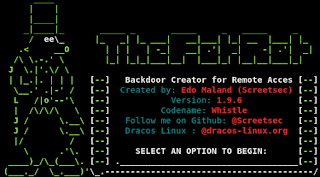
Now we can see the menu of TheFatRat tool just like the following screenshot:

Now this is very simple to use and user-friendly caused we covered Metasploit. We can make payloads for windows, android, mac, linux and we can make them FUD (Fully Undetectable). We also can make FUD payloads in Metasploit’s new evasion module. So, who is the target in first FatRat attack?


5 comments