StegCracker — Steganography Cracker
We first need to install StegHide in our Kali Linux system. We have a previous article on it click here to read that.
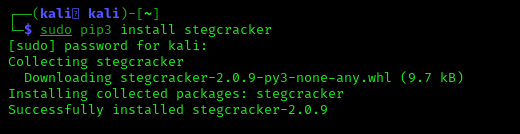
This command will download the StegCracker on our Kali Linux system. The screenshot is following:


We can see that we have two files in Desktop. The picture file is the the stegno file we are gonna crack and there is a password list to perform a brute-force attack. We have learned generating custom password list in our Crunch tutorial.
Now we need to reach the directory where we have the stegno file and password list, in our case they are in Desktop so we are gonna use following command:
Now the final part we are going to crack the password and uncover secret data from the image by using following command:
The screenshot is following:

Using bigger wordlist will increase chance cracking password.
To view what get we use cat command in the new output file:
The screenshot is following:

Yes, we did this.


8 comments