Install VirtualBox on Kali Linux

Install VirtualBox on Kali Linux

Usually we use Virtual Machines on Windows and use Kali Linux there. But there are lots of Kali fans using Kali Linux directly (as a primary OS) on their PC. Here we sometime need to install virtual machine of other OS or vulnerable virtual machine.

Install VirtualBox in Kali Linux

We have already discussed a way where we had used KVM (Kernel Virtual Manager) in our Metasploitable2 and Windows installation in Linux. Al tough KVM has lots of functions but majority of people will chose VirtualBox because they are used to with VirtualBox.

Oracle VM VirtualBox is a free and open-source hosted hypervisor for x86 virtualization in this tutorial we describe how easily we can install VirtualBox in our Kali Linux system and use it.

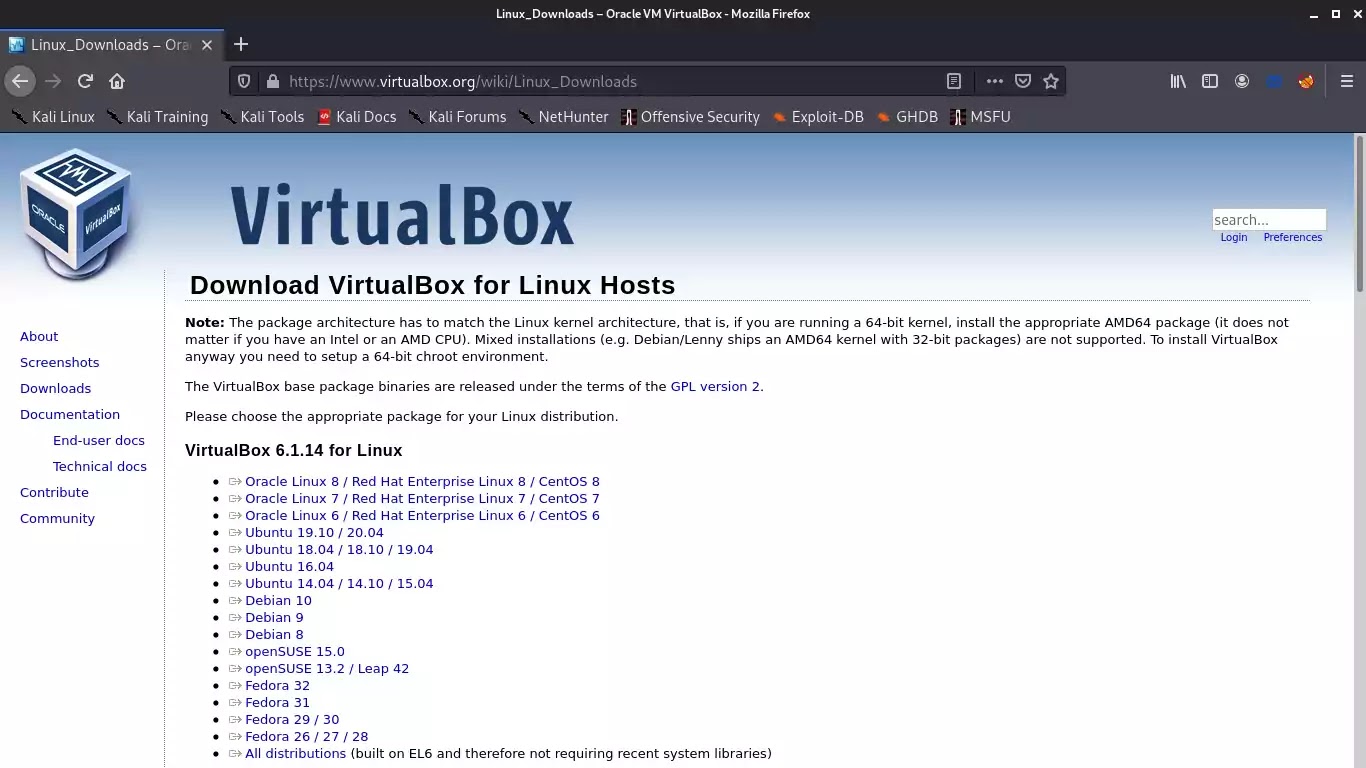
First of all we need to go to the Linux download section of VirtualBox by clicking on this link. A new window will open like following screenshot:
VirtualBox download

In the above screenshot we can see that VirtualBox is not directly available for Kali. But the Ubuntu’s VirtualBox will work in Kali Linux and almost other Debian based distributions.

Now we download the VirtualBox for latest Ubuntu version. It is a .deb file with almost 85 MB of size.

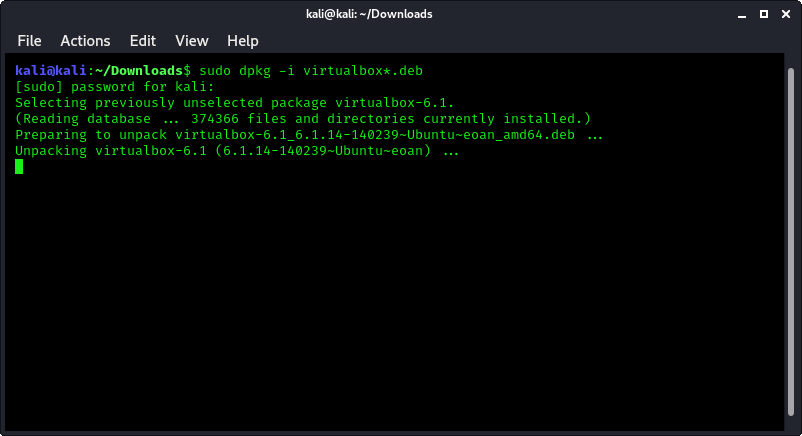
After download the deb installer file on the Downloads folder we open the the terminal there and to install it we apply following command:

sudo dpkg -i virtualbox*.deb

Then it will start installing VirtualBox on our Kali Linux system.
VirtualBox started installing

After a little bit of time (depending on our computer’s performance) it will complete.

Now we can search the VirtualBox on the Application menu.

Searching for VirtualBox in Application menu

Now we click on this to open it. It will open in the following screenshot:

VirtualBox Installed in Kali Linux

Now we can use it to configure any other OS under Kali Linux. This is how we can install VirtualBox in our Kali Linux machine and the installation process of other OS in it will be the same as we do it on Windows.

Using Kali Linux as primary OS ? Our daily life with Kali Linux might be interesting.

Liked our tutorial? Don’t miss out! Connect with us on Twitter and GitHub for instant
updates on our latest articles. Ready to dive into the world of Kali
Linux and Cybersecurity? Become a part of our thriving community by
joining our lively Telegram Group. We’re on a mission to foster a strong
community dedicated to Linux and Cybersecurity enthusiasts. Have
questions or thoughts? Drop a comment – we’re here to assist! Our
comment section is your space to engage, and we make sure to read and
respond to each one.

KP AKA Koushik Pal is a Security researcher and specialist focused on educating about Linux for cybersecurity and URL‑masking vulnerabilities. Creator of MaskPhish, a well‑known open‑source bash-based URL‑masking tool. Linux enthusiasts Active speaker, trainer, and advocate for secure web practices.

22 comments

comments user
Anonymous

Installation fails for me with:
dpkg: dependency problems prevent configuration of virtualbox-6.1:
virtualbox-6.1 depends on libsdl1.2debian (>= 1.2.11); however:
Package libsdl1.2debian is not installed.
virtualbox-6.1 depends on libvpx5 (>= 1.6.0); however:
Package libvpx5 is not installed.

dpkg: error processing package virtualbox-6.1 (–install):
dependency problems – leaving unconfigured

All on the current Kali Linux version. Any advice would be greatly appreciated!

comments user
Anonymous

I was using the most up to date Ubuntu deb btw, no idea why it is asking for a debian package.

comments user
Kali Linux

Use following commnad:

sudo apt-get install qemu-kvm libvirt0 virt-manager libguestfs-tools

Then use

sudo virt-manager

You will be inside KVM. KVM is an alternative of VirtualBox.

comments user
renjith

I do not even understand how I ended up here, but I assumed this publish used to be great

comments user
renjith

There is definately a lot to find out about this subject. I like all the points you made

comments user
renjith

I like the efforts you have put in this, regards for all the great content.

comments user
saranya

This is my first time pay a quick visit at here and i am really happy to read everthing at one place

comments user
renjith

Good post! We will be linking to this particularly great post on our site. Keep up the great writing

comments user
renjith

I very delighted to find this internet site on bing, just what I was searching for as well saved to fav

comments user
temp email

This is really interesting, You’re a very skilled blogger. I’ve joined your feed and look forward to seeking more of your magnificent post. Also, I’ve shared your site in my social networks!

comments user
VigorLong

For the reason that the admin of this site is working, no uncertainty very quickly it will be renowned, due to its quality contents.

comments user
website

Good post! We will be linking to this particularly great post on our site. Keep up the great writing

comments user
nocode

This is my first time pay a quick visit at here and i am really happy to read everthing at one place

comments user
ecom

Good post! We will be linking to this particularly great post on our site. Keep up the great writing

comments user
temps mail

I appreciate you sharing this blog post. Thanks Again. Cool.

comments user
website create

very informative articles or reviews at this time.

comments user
Tollywood online Bangla Khobor

Pretty! This has been a really wonderful post. Many thanks for providing these details.

comments user
tempmail

Pretty! This has been a really wonderful post. Many thanks for providing these details.

comments user
tempmail

You’re so awesome! I don’t believe I have read a single thing like that before. So great to find someone with some original thoughts on this topic. Really.. thank you for starting this up. This website is something that is needed on the internet, someone with a little originality!

comments user
temp mail

For the reason that the admin of this site is working, no uncertainty very quickly it will be renowned, due to its quality contents.

comments user
Alisson Coleman

This is really interesting, You’re a very skilled blogger. I’ve joined your feed and look forward to seeking more of your magnificent post. Also, I’ve shared your site in my social networks!

comments user
temp email

I very delighted to find this internet site on bing, just what I was searching for as well saved to fav

Post Comment