5 tips to fix slow apt-get update or upgrade on Kali Linux

In this tutorial we are going to cover the ways how we can fix apt-get update or upgrade on our Kali Linux system.
-
Good internet speed.
Updating Kali Linux is a slower process then other internet tasks. If we have a slower internet then it will be more slow, so please maintain a decent network speed.
-
Choose a proper DNS server
Check for Domain Name Server by using following command :
This command will open a window like following:
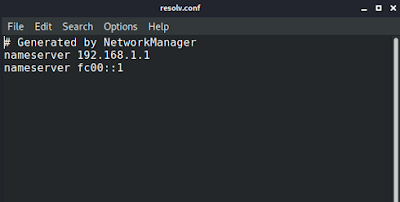
Here we will add Google’s Domain Name Server
8.8.8.8
8.8.4.4
This will look like following: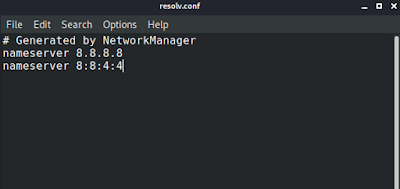
Then we can save and close the config file.
Then we can clean by using following command:
-
Check the right repository.
We should check our repository by using following command:
The screenshot of the command is following:
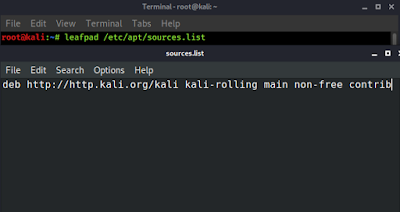
This server is usually overloaded by the users. But we should not try unofficial repositories that may break our Kali Linux system. See the #5 point to fix this.
-
Download via the http secure protocol
We need to install a tool called apt-transport-https by using following command in our Kali Linux system:
This is a very small tool with 149kb size. So it will install in some second.


Then we open the sources.list file in leafpad located at /etc/apt/sources.list
- We need to change the first http to https like following screenshot:
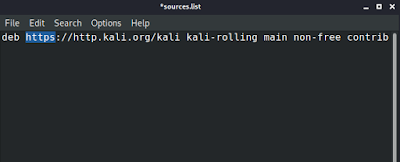
- Then we save and close it, and run apt update command to update the repository. Then we can check the internet speed of downloading big tools or upgrading system we’re sure that the speed will increase.
5. Changing the HTTP


19 comments