


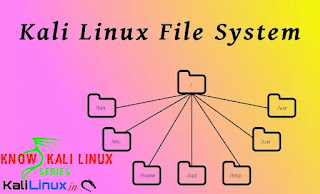
In our this guide we are going to talk about file system of Kali Linux this is very crucial for a user using Kali Linux. For the new comers who comes to Linux from Windows it is very important to understand the file system. For those who comes from another Debian based Linux distribution (Like Debian, Ubuntu, Linux Mint, Elementary OS etc) with a basic Linux knowledge can easily get this.

The directory structure of Kali Linux system is based on the Unix File system Hierarchy Standard (FHS), and that’s how the directories are structured inside Kali Linux. In our Windows system, the root directory is C: , but in Kali Linux, it’s a forward slash (/). Please do not confuse the term “root directory” with the “root user’s home directory” (which is /root), because they are two different things. the latter is the home is the home directory (/root) for the root user.
Talking about root user, root user is the super user, for an example it can be consider as Administrative user on Windows system, previously Kali Linux comes with root user by default but after 2020.1 update Kali Linux comes with non-root user by default, that means we need to run sudo if we want to execute high-privileged commands. New user should be careful using sudo because wrong command could destroy our system.
To understand the file system of Kali Linux we need to open our terminal window and execute the command cd / , here cd stands for change directory, and / is our root directory. That means we are changing the directory to the root directory. Then we need to run ls (list) command to see all the files/folders here. As we can see in the following screenshot:


In the above screenshot we can see some contents on our root directory. We need to know about them to understand the file system.
- /bin (binaries): This directory contains Linux binaries like the cd and ls command that we executed earlier.
- /sbin (system binaries): This directory holds system binary files that serve as administrative commands (like fdisk).
- /boot: This directory contains the Linux bootloader files.
- /dev (devices): This directory contains the device configuration files (like /dev/null ).
- /sys: This is similar to /dev, which contains configurations about devices and drivers.
- /etc (etcetera): This directory contains all the administration system files (like /etc/passwd shows all the system users in Kali Linux).
- /lib (libraries): This directory hods the shared libraries for the binaries inside /bin and /sbin.
- /proc (processes): This directory contains the processes and kernel information files.
- /lost+found: As in the name, this directory contains the files that have been recovered.
- /mnt (mount): This directory contains the mounted directories (example, a remote file share).
- /media: This directory holds the removable media mounted directories (like DVD).
- /opt (option): This directory is used for add‐on software package installation. It is also used when installing software by users (example, hacking tools that you download from GitHub).
- /tmp (temporary): This is a temporary folder used temporarily, the holdings are wiped after each reboot. The tmp folder is a good place to download our tools for privilege escalation once we got a limited shell.
- /usr (user): This directory contains many sub-directories. In fact, /usr/share/ is a folder that we need to memorize because most of the tools that we use in Kali Linux (like Nmap, Metasploit, etc.) are stored there, and it also contains the wordlist dictionary files (/usr/share/wordlists).
- /home: This is the home for Kali Linux users (example /home/kali/).
- /root: Home directory for root user.
- /srv (serve): This folder contains some data related to system server functionalities (like data for FTP servers).
- /var (variable): This folder contains variable data for databases, logs, and websites. For an example, /var/www/html/ contains the files for the Apache2 web server.
- /run (runtime): This directory holds runtime system data (like currently logged‐in users).
We need to check about these file systems. This is much different from our familiar Windows File system but it’s not hard. In our personal opinion Linux File systems are quite easy to understand then Windows File system.
We just need to some practice and continue using it to get familiar with Kali Linux file system. Either from file manager or from the terminal. We will say to use terminal, then our practice on terminal will be better.
Love our articles? Make sure to follow us on Twitter and GitHub, we post article updates there. To join our KaliLinuxInfamily, join our Whatsapp Channel & Telegram Group. We are trying to build a community for Linux and Cybersecurity. For anything we always happy to help everyone on the comment section. As we know our comment section is always open to everyone. We read each and every comment and we always reply.