


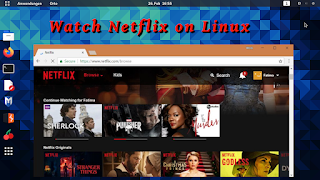
When Netflix first launched on Linux a few years ago, it would have been a terrible experience for users. But know it is way easier with browsers and additional methods. You may even access overseas Netflix libraries because you can easily change the Netflix region using a VPN, which is fantastic news. There is a trick, though, in that you must be familiar with how to stream Netflix on Linux.

Even though Netflix has been accessible on Linux for some time, it will not function properly until we set the proper configuration. With the correct software that is compatible with both Netflix and Linux, you will be ready to go in no time.
Options to Watch Netflix on Linux
#1: Google Chrome
If you want to watch Netflix making no effort, all you have to do is open Google Chrome. Google Chrome is the only browser that is fully compatible with Netflix and does not require any additional software.
Then you go into Netflix and start viewing your Netflix favorites after installing Google Chrome on Ubuntu or whichever Linux distribution you are using. They have made it workable because Netflix now employs HTML5 playback as the default mode.
If you are experiencing difficulties with Google Chrome functioning,
you may require a specific version of Google Chrome that has support
for the Encrypted Media Extension (EME).
- Foremost, install the gdebi and wget package packages.
- By using gdebi to install Google Chrome, you ensure that certain that every potential required package functions.
- Download the Google Chrome browser package from Google’s website.
- For the installation of the Google Chrome package that has been downloaded, run the gdebi command.
- Start the Google Chrome browser by selecting it from the graphical user interface (GUI) menu or by typing the command in the terminal.
#2: Mozilla Firefox
You can also stream Netflix on a Linux computer if you use Mozilla Firefox browser. Because DRM material is not supported by default in Firefox, you’ll need to activate it manually.
What exactly is the secret?
- First, make sure you have the most recent version of Firefox installed on your computer.
- After that, go to netflix.com and sign into your account there.
- You’ll see a notification at the top of the screen informing you’ll need to download some additional software. Select Enable DRM from the drop-down menu.
- Please be patient while the additional software is being downloaded and installed.
- If required, reload the page and then play the video of your choice.
Firefox may be downloaded and installed directly from the Mozilla website.
Installing Firefox from Standard Ubuntu requires the use of the apt command, which will install an updated version of the browser.
sudo apt install firefox
Is there a Netflix desktop application available for Linux?
Before then, we had an app that you could use to access the Netflix app, and it was a Windows program that was packed with the Wine software. Even though it is no longer functional, the following is a step-by-step tutorial on creating Desktop Applications.
- Start Google Chrome on your PC or laptop.
- Visit Netflix website to find out more.
- Sign in to your Chrome browser by entering your login credentials.
- The Chrome menu button in the upper right corner of the browser; so click on it.
- Choose More Tools.
- Select Add to Desktop from the drop-down menu.
- In the dialog box, select Add.
- Select the option to open as a window.
- To confirm, click the OK button.
Viola! You have the original Netflix app that you can use right now!
How to Download Movies from Netflix for Linux
The Netflix download option is ideal if you want to watch your favorite movies or videos on the road, without having to download them beforehand. If you are using a desktop computer and do not want to watch videos while they are buffering, you may also download the movie beforehand (if your connection is very slow, for example).
In the event that you are a Linux user, you may experiment using Pipelight to see whether it works for you. Then, the process works like any other Windows user.
- Start the Netflix application that you have just downloaded.
- With a single click, you may begin downloading the movies if you have recently joined up or registered to the service. When a pop-up window comes after you sign in, you only need to click on Find something to download.
- It is necessary to click on the menu icon to discover an option that states Available for download if you did not receive the pop-up the first time; otherwise, try again. It will take you to a page with a list of movies and TV series that you may download.
- To access the screen where you will discover every downloaded content item mentioned, simply click on any of them you find most appealing.
- These will be added to your personal download section.
Wrap-Up
Basically, having a modern and up-to-date version of most used web browsers will do the work for you to watch Netflix on Linux natively. In case of wondering accessing more libraries than your own country, such as US Netflix library with tons of options, try using VPN to change your location at Netflix as we mentioned just above.